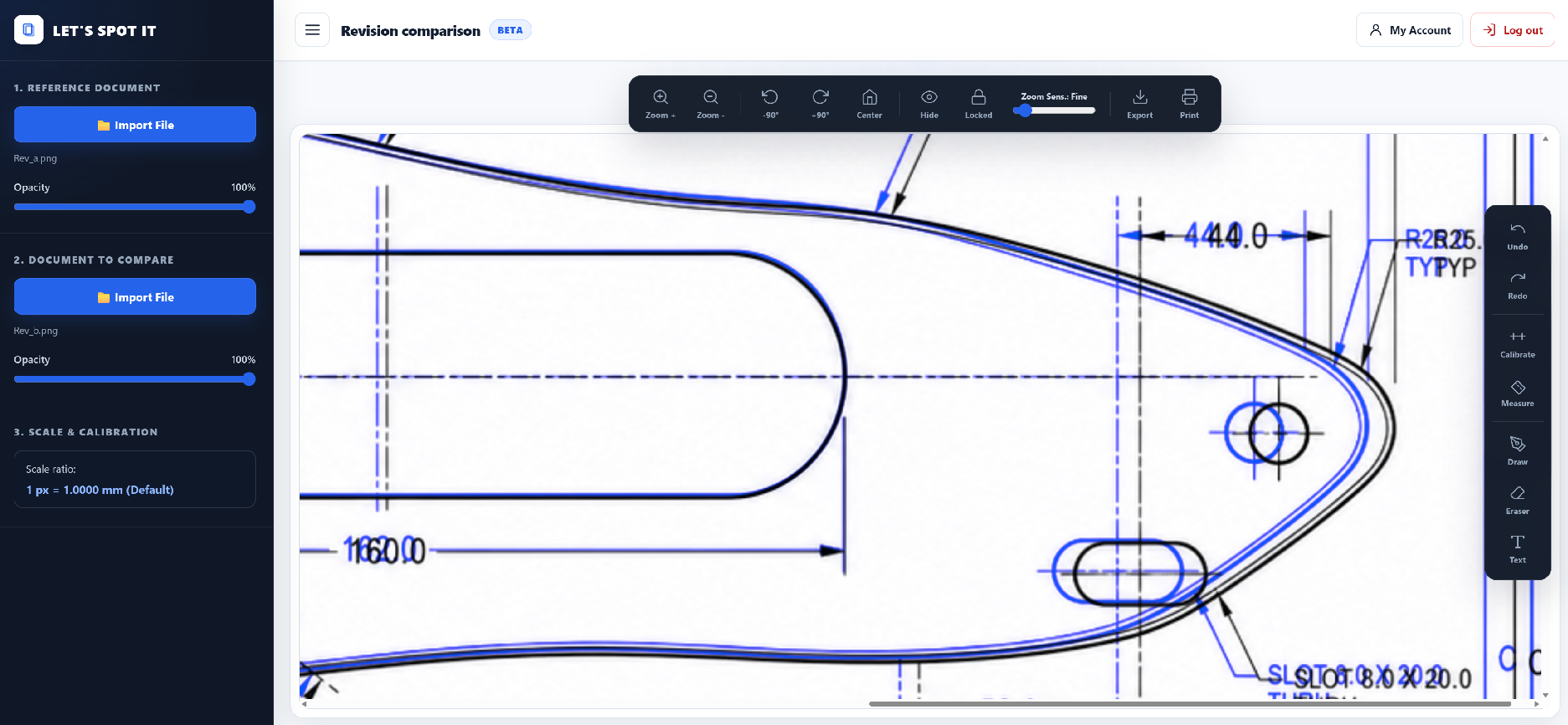
Overlay two drawing revisions
Superimpose PDF drawings or images
to reveal geometry and position changes.
Superimpose PDF drawings, images and technical plans to make revisions, differences and design changes immediately visible — directly in your browser.
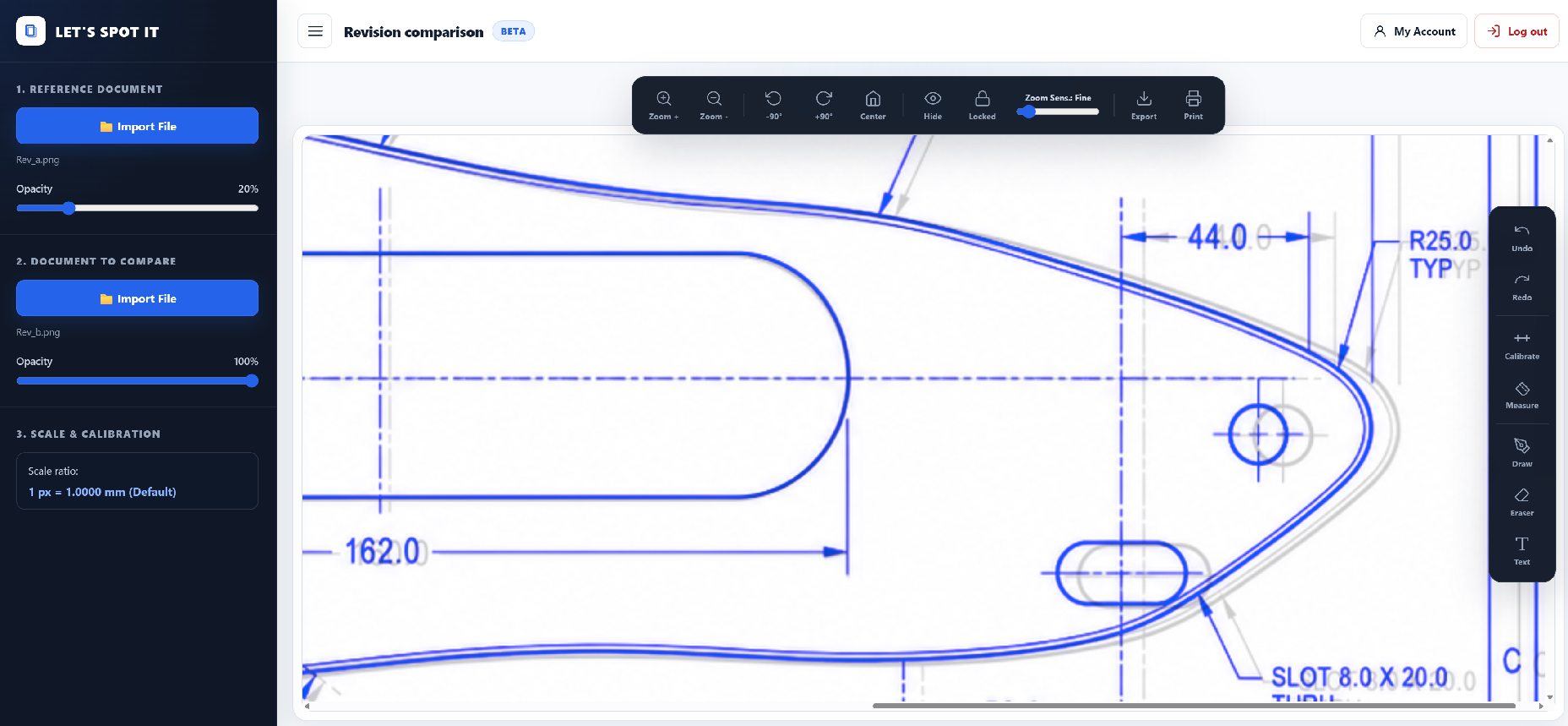
Load an original drawing and a revised drawing, align them, adjust opacity and overlay both versions to reveal what moved, disappeared or changed. LET'S SPOT IT works with PDF drawings and images and helps you review technical revisions without reopening the source CAD files.
Overlay PDF drawings, images and technical plans, align revisions and make design changes immediately visible.
Skip the unnecessary CAD workflow when all you need is to understand, explain or validate a design change.
Load the original drawing and the revised PDF or image directly from your computer.
Overlay both revisions and visually identify geometry, position and design changes.
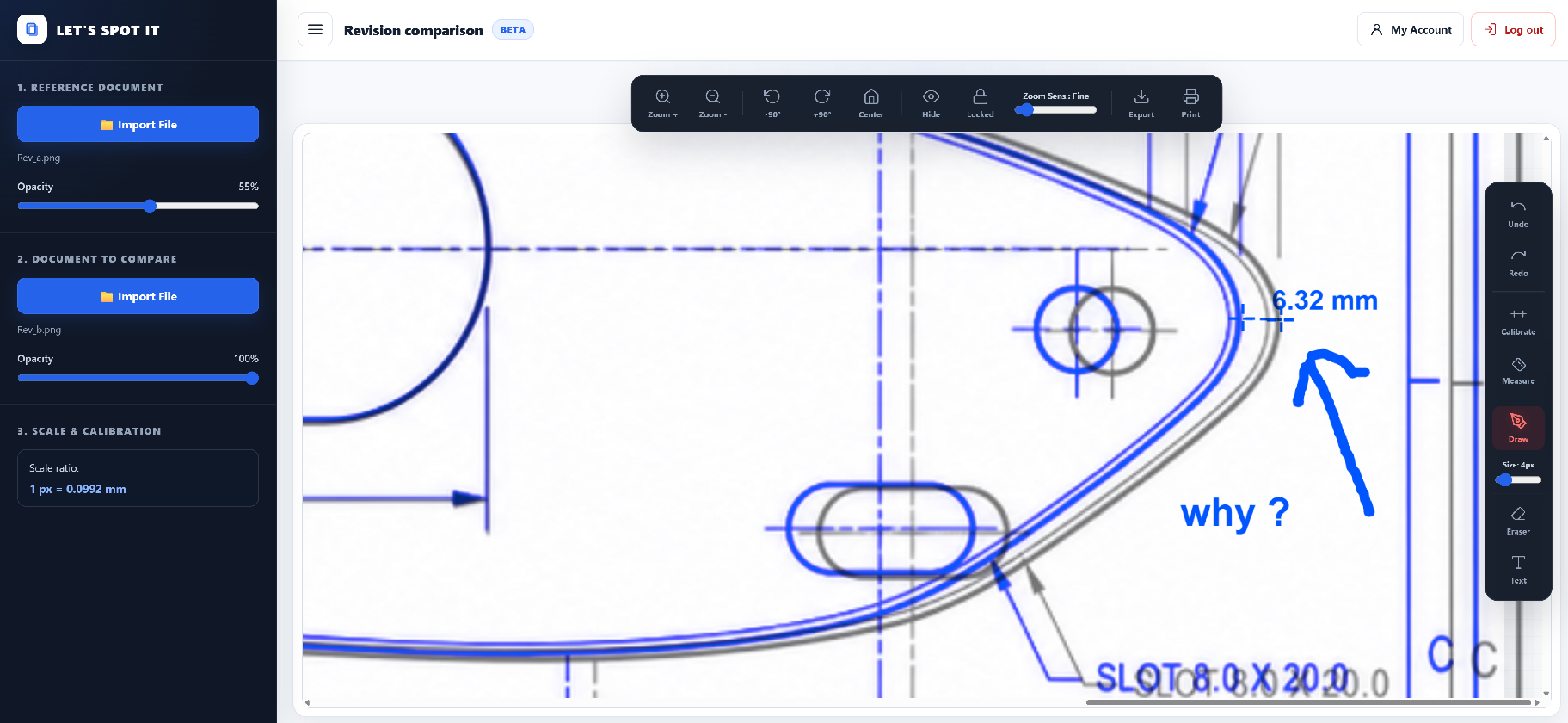
Add graphical annotations to highlight modifications and communicate them clearly.
Export the result or review it directly with your supplier, customer or project team.
You don't always need a full engineering workflow just to understand what changed.
LET'S SPOT IT gives suppliers, technical sales teams, project managers and customers a fast way to review revisions independently.
PDFs and images are processed locally inside your browser. Your comparison files are not uploaded to LET'S SPOT IT servers for storage or processing.
Only the account, authentication, security and transactional email data needed to operate the online service is handled online.
Superimpose two revisions and control transparency for fast visual comparison.
Work directly with common technical document formats without converting them to CAD.
Highlight areas, add visual annotations and make changes easier to communicate.
Position, scale and align drawings to make revision comparison straightforward.
Export your review directly to your computer without storing project files in the cloud.
Nothing to install. Open the application and start reviewing your drawings.
Get full access to LET'S SPOT IT while the service is in beta. No payment information required.
Stop turning every design revision into a CAD task.
Compare your first revision